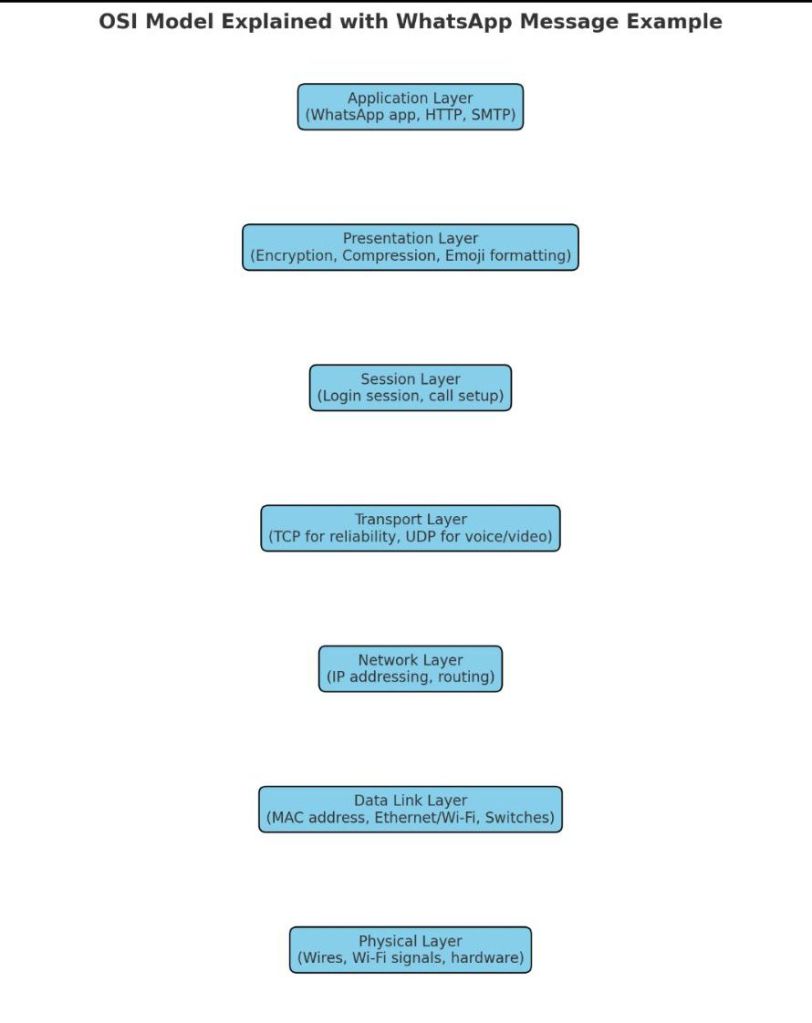
Let’s walk through a real-world example:
👉 You send a WhatsApp text message to your friend.
📩 Step-by-Step Flow Through OSI Layers
At Your Side (Sender)
- Application Layer (Layer 7)
- You type “Hi!” in WhatsApp.
- WhatsApp app uses HTTP/HTTPS + its own messaging protocols.
- Presentation Layer (Layer 6)
- Message is encrypted (end-to-end encryption).
- Emojis, fonts, and formats are standardized.
- Session Layer (Layer 5)
- A secure session is established between your phone and WhatsApp servers.
- Maintains your login session.
- Transport Layer (Layer 4)
- WhatsApp decides TCP (for reliability) for text OR UDP (for voice/video).
- Message is divided into segments, with sequence numbers.
- Network Layer (Layer 3)
- Adds your IP address (source) and your friend’s IP (destination).
- Routers decide the best path to the server or receiver.
- Data Link Layer (Layer 2)
- Adds MAC addresses (your phone → Wi-Fi router → ISP device).
- Creates frames for local delivery.
- Physical Layer (Layer 1)
- Message is converted into electrical signals or Wi-Fi radio waves.
- Sent over fiber/copper/wireless.
Across the Network
- The message travels through routers, switches, ISP networks, undersea cables, or satellites.
- At each stop, layers 1–3 (Physical, Data Link, Network) ensure correct forwarding.
At Your Friend’s Side (Receiver)
- The process is reversed:
- Signals → Frames → Packets → Segments → Sessions → Decryption → WhatsApp app shows “Hi!”
✅ In short:
- Upper layers (7–5): Handle the meaning of your message.
- Middle (4): Handles reliability.
- Lower (3–1): Handle delivery.

 The Lazy Networker
Leave a comment